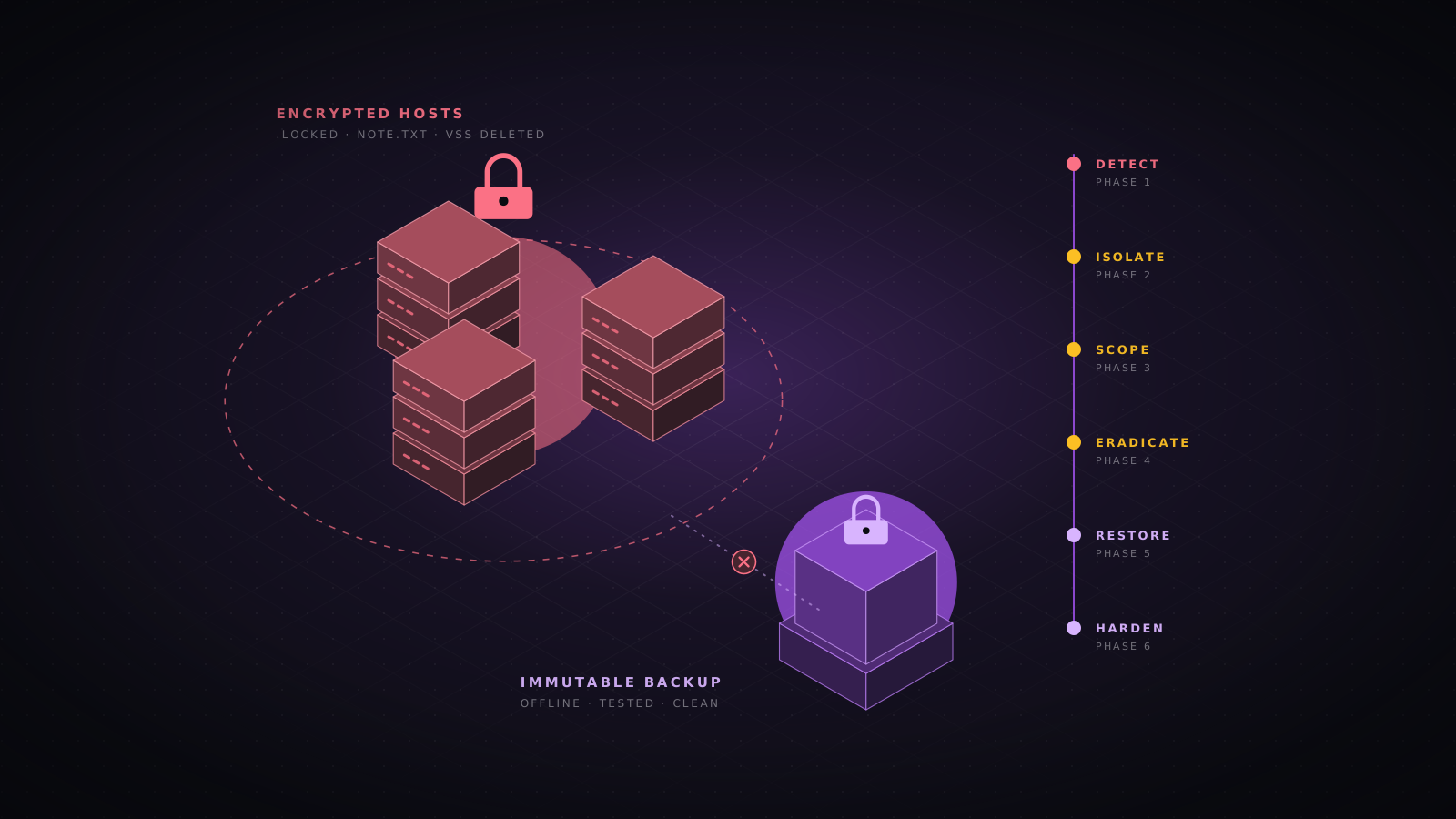
A ransomware attack is the loudest moment of an intrusion that usually started days or weeks earlier. By the time files are encrypted, the attacker has typically gained a foothold, stolen credentials, moved across the network, deleted or encrypted backups and copied data out. Responding well means stopping the damage now without destroying the evidence you need to find out how they got in, and then recovering in a way that does not let them straight back in.
This playbook follows the order a real response takes: the first hour, containment, evidence, scoping, the decisions only leadership can make, eradication, recovery and hardening. It assumes a Windows and Active Directory estate, which is where most ransomware lands, with notes for Linux and VMware ESXi. For deeper forensic detail, pair it with our Windows and Linux triage guides.
The first hour
The first hour sets the outcome. Decisions made in a panic, such as rebooting servers, restoring backups straight away or wiping machines, are the most common reasons a ransomware case becomes worse or impossible to investigate.
- Isolate, do not shut down. Pull network cables, disable Wi-Fi, or use EDR network isolation. Memory on a running host may hold encryption keys, the attacker’s tools and command lines that disappear on reboot.
- Stop the spread at the network level. Block SMB (445), RDP (3389), WinRM (5985 and 5986) and RPC between segments, and cut site-to-site VPN tunnels to other offices if they are not yet affected.
- Protect the backups. Disconnect backup servers and repositories from the domain network, revoke the backup service account, and confirm any immutable or offline copies are untouched before anyone tries a restore.
- Move communications out of band. Assume email, Teams, Slack and the domain are watched. Use phones, Signal or a separate tenant for the response team.
- Open an incident log in UTC: who did what, when, and on which host. Regulators, insurers and lawyers will rely on it later.
- Activate the incident response plan and call the people who need to know: incident response retainer, cyber insurer (many policies require notice before you spend money), legal counsel and executive leadership.
- Preserve the ransom note, a few encrypted files and their originals if you have them, and screenshots of anything unusual on screen.
| Role | First actions |
|---|---|
| Incident lead | Owns the timeline and decisions, sets the meeting cadence, keeps the log |
| IT and security | Isolate hosts, protect backups, block lateral movement, start evidence collection |
| Executive sponsor | Authorises shutdowns and spending, briefs the board |
| Legal counsel | Directs the investigation under privilege where possible, assesses notification duties |
| Communications | Prepares holding statements for staff, customers and press |
| Insurer and IR firm | Approve vendors and costs, bring forensic and negotiation capability |
Recognise what you are dealing with
Encryption is the final stage. Many attacks are caught earlier because defenders noticed the preparation. If you see the precursor signs below, treat them as a ransomware incident in progress and contain immediately, even before any file is encrypted.
| Stage | What you might see |
|---|---|
| Discovery | AdFind, BloodHound or SharpHound, nltest /domain_trusts, net group "domain admins", network scanners such as Advanced IP Scanner or SoftPerfect |
| Credential theft | LSASS access by unusual processes, comsvcs.dll MiniDump, Mimikatz, NTDS.dit copies, DCSync from a non-DC host |
| Remote control | New installs of AnyDesk, ScreenConnect, Atera, Splashtop or similar tools; Cobalt Strike or Sliver beacons |
| Exfiltration | rclone, MEGAsync, WinSCP or restic running on servers; large archives in staging folders; unusual outbound volume |
| Defence evasion | EDR or antivirus disabled, new Defender exclusions, Safe Mode boot configuration, cleared event logs (1102, 104) |
| Impact | vssadmin or wmic deleting shadow copies, bcdedit recovery disabled, mass file renames, ransom notes in every folder, ESXi VMs powered off |
Contain the attack
Containment buys time. Choose the least destructive option that reliably stops the spread, and widen it if encryption continues. Network isolation with the host left running is almost always the right first move.
| Option | Use when | Trade-off |
|---|---|---|
| EDR network isolation | EDR is deployed and healthy | Keeps the host reachable from the EDR console only |
| Host firewall lockdown | No EDR, but you can still run commands | Can be undone by an attacker with admin rights |
| Switch port or VLAN quarantine | Many hosts, or EDR has been tampered with | Needs network team access and accurate port mapping |
| Segment firewall rules | Encryption spreading between sites or VLANs | Breaks legitimate traffic between those segments |
| Internet egress block | Active exfiltration or command and control | Stops cloud services the business may rely on |
| Full network shutdown | Encryption spreading faster than you can isolate | Business stops; use only as a last resort |
netsh advfirewall set allprofiles state on
netsh advfirewall set allprofiles firewallpolicy blockinbound,blockoutbound
netsh advfirewall firewall add rule name="IR allow console" dir=out action=allow remoteip=10.10.5.20
netsh advfirewall firewall add rule name="IR allow console in" dir=in action=allow remoteip=10.10.5.20sudo nft add table inet ir
sudo nft add chain inet ir in '{ type filter hook input priority -10; policy drop; }'
sudo nft add chain inet ir out '{ type filter hook output priority -10; policy drop; }'
sudo nft add rule inet ir in ip saddr 10.10.5.20 accept
sudo nft add rule inet ir out ip daddr 10.10.5.20 accept
sudo nft add rule inet ir in iif lo accept
sudo nft add rule inet ir out oif lo acceptCut off the accounts the attacker is using
Ransomware operators work through stolen accounts, usually a domain administrator or a backup and service account with wide rights. Disable the accounts you know are compromised now. Hold the mass password reset until you understand the scope, because resetting while the attacker still has a foothold just hands them the new passwords.
Get-ADGroupMember 'Domain Admins' -Recursive | Select-Object Name, SamAccountName
Get-ADGroupMember 'Enterprise Admins' -Recursive | Select-Object Name, SamAccountName

# Accounts created or changed in the last 14 days
$since = (Get-Date).AddDays(-14)
Get-ADUser -Filter 'whenCreated -gt $since' -Properties whenCreated |
  Select-Object SamAccountName, whenCreated
Get-ADUser -Filter 'whenChanged -gt $since' -Properties whenChanged, MemberOf |
  Select-Object SamAccountName, whenChanged

# Disable an account you have confirmed is compromised
Disable-ADAccount -Identity svc_backupGet-GPO -All | Sort-Object ModificationTime -Descending |
Select-Object -First 15 DisplayName, ModificationTime
Get-ChildItem "\\$env:USERDNSDOMAIN\SYSVOL" -Recurse -File |
Where-Object { $_.LastWriteTime -gt (Get-Date).AddDays(-7) } |
Select-Object FullName, LastWriteTimeVMware ESXi and Linux hypervisors
Many groups now encrypt ESXi datastores directly, taking every virtual machine down at once. If ESXi is in scope, restrict management access to an IR jump host, disable SSH and the ESXi Shell once you have collected what you need, and check for unknown local accounts and processes.
esxcli system account list
esxcli network ip connection list
esxcli vm process list
ls -la /tmp /var/tmp /vmfs/volumes/*/ | head -50
find /vmfs/volumes/ -mtime -2 -type f | head -50
vim-cmd hostsvc/disable_ssh
Preserve the evidence
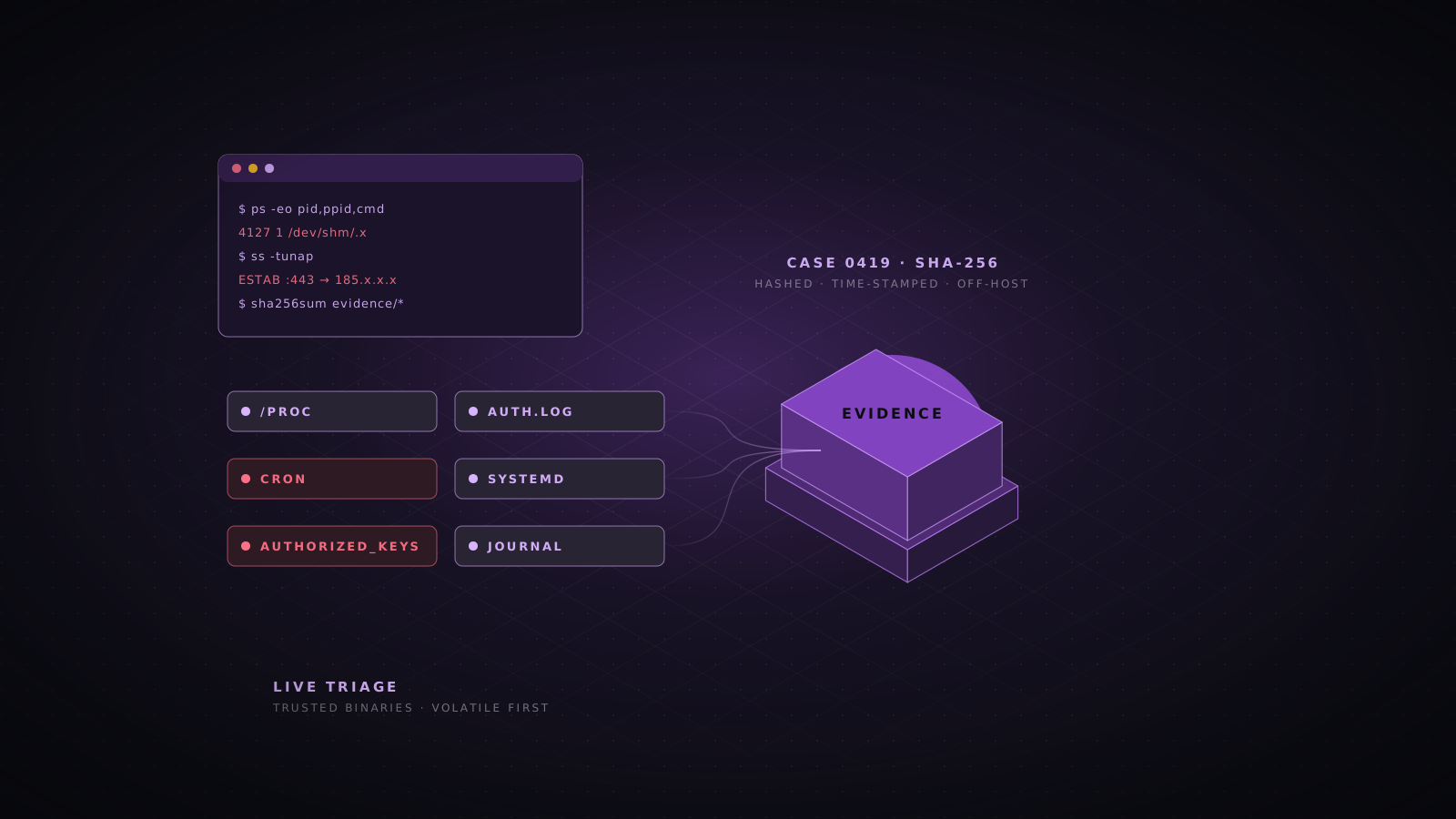
Evidence answers the questions everyone will ask: how did they get in, what did they take, are they still here, and do we have to notify anyone. Collect it before you clean or rebuild anything, and hash everything you collect.
| Evidence | Why it matters |
|---|---|
| Memory from hosts still running the encryptor | May contain keys, the binary, command lines and network connections |
| The ransom note and sample encrypted files | Identifies the family and any available decryptor |
| The encryptor binary and attacker tools | Reveals capabilities, configuration and indicators to hunt for |
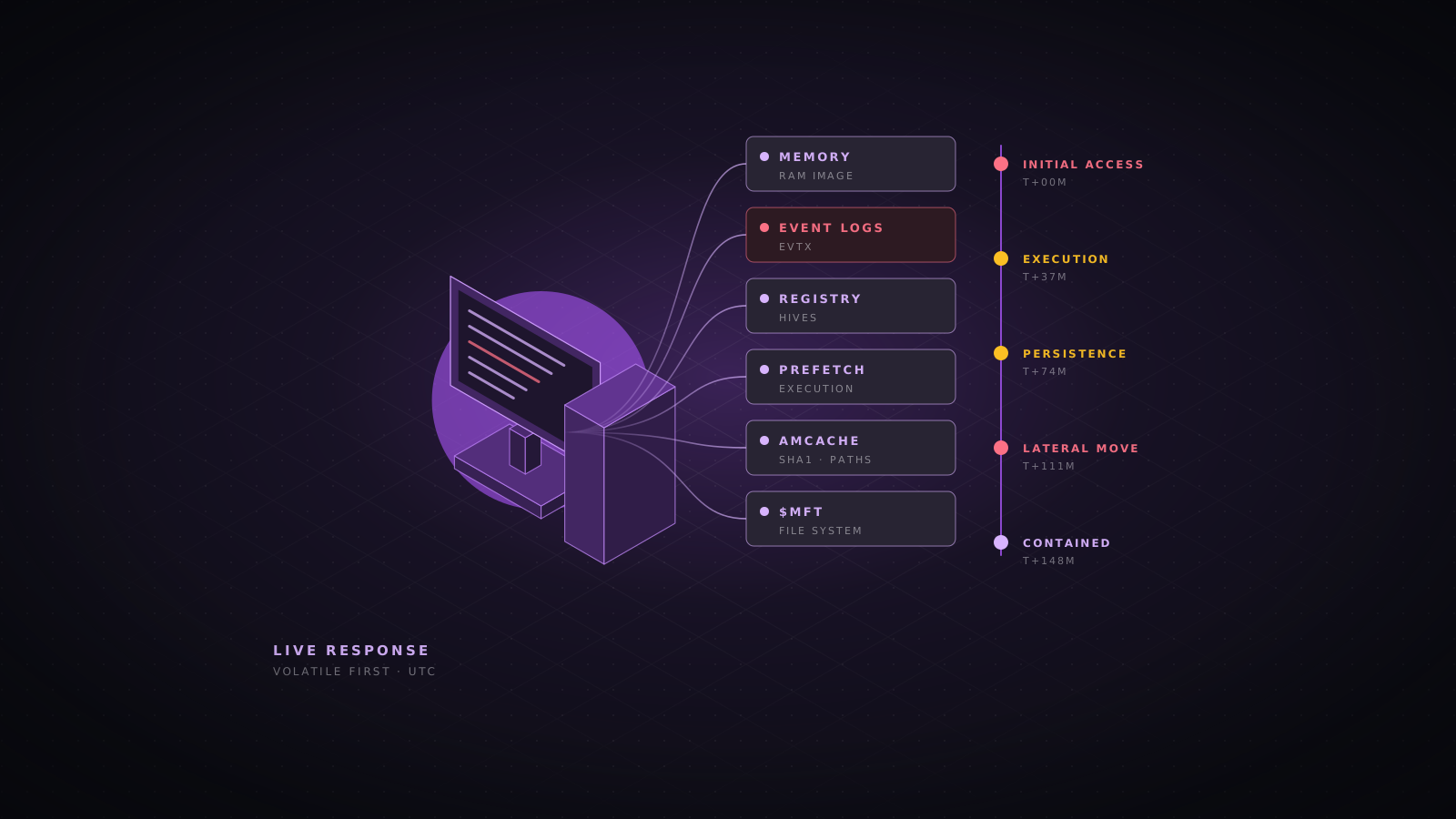
| Windows event logs and Sysmon | Logons, service installs, process creation, log clearing |
| EDR telemetry and alerts | Process trees and the earliest malicious activity |
| Firewall, VPN, proxy and DNS logs | Initial access, command and control, exfiltration volume |
| Microsoft 365 or Google Workspace audit logs | Mailbox access, OAuth grants, data downloads |
| Backup console logs | When and by whom backups were deleted or changed |
.\kape.exe --tsource C: --tdest E:\IR\%m\tout --target KapeTriage --vhdx %m
.\winpmem_mini_x64.exe "E:\IR\$env:COMPUTERNAME\mem.raw"
Get-FileHash E:\IR\$env:COMPUTERNAME\* -Algorithm SHA256 | Export-Csv E:\IR\$env:COMPUTERNAME\hashes.csv -NoTypeInformationGet-ChildItem C:\ -Recurse -File -Include '*README*.txt','*DECRYPT*','*RESTORE*' -ErrorAction SilentlyContinue |
Select-Object FullName, CreationTimeUtc | Sort-Object CreationTimeUtc |
Export-Csv E:\IR\notes.csv -NoTypeInformation
Get-ChildItem D:\Shares -Recurse -File -Filter '*.locked' -ErrorAction SilentlyContinue |
Sort-Object LastWriteTimeUtc | Select-Object -First 20 FullName, LastWriteTimeUtcFor an estate-wide collection, Velociraptor is faster than visiting hosts one by one: the Windows.KapeFiles.Targets, Windows.EventLogs.Evtx and Windows.System.Pslist artifacts cover most needs. On Linux and ESXi, UAC (Unix-like Artifacts Collector) gathers logs, shell histories and process data in one run.
Identify the ransomware family
Knowing the family tells you how it usually gets in, whether it steals data first, whether a free decryptor exists and what the group does if you do not pay. Start from the ransom note, the file extension and any contact details or leak site address it contains.
- ID Ransomware identifies the family from the note and a sample encrypted file.
- The No More Ransom project lists free decryptors published by law enforcement and security vendors.
- Threat intelligence reports and your IR provider will know the group’s usual entry points, tools and negotiation behaviour.
- Check the group’s leak site, through your IR provider or a threat intelligence service, to see whether your organisation has been listed.
Scope the intrusion
Scoping answers four questions: how the attacker got in, which accounts they control, which systems they touched, and what data left the network. Do not start rebuilding until you can answer the first two, or the attacker will walk back in through the same door.
| Entry point | Evidence to check |
|---|---|
| VPN or firewall without MFA, or with an unpatched flaw | VPN logs for logins from new countries or at odd hours, device firmware version |
| Exposed RDP | Event 4624 logon type 10 from external addresses, 4625 brute force bursts |
| Phishing and malicious attachments | Mail logs, Mark of the Web files, Office spawning scripts in EDR |
| Stolen credentials from infostealers | Successful logins with valid passwords and no prior failures |
| Compromised IT supplier or remote management tool | RMM console audit logs, unexpected agent installs |
$start = (Get-Date).AddDays(-30)

# Services installed (PsExec, remote admin tools, encryptor deployment)
Get-WinEvent -FilterHashtable @{LogName='System'; Id=7045; StartTime=$start} |
  Select-Object TimeCreated, @{n='Service';e={$_.Properties[0].Value}}, @{n='Path';e={$_.Properties[1].Value}}

# RDP logons (type 10) and new accounts
Get-WinEvent -FilterHashtable @{LogName='Security'; Id=4624; StartTime=$start} |
  Where-Object { $_.Properties[8].Value -eq 10 } |
  Select-Object TimeCreated, @{n='User';e={$_.Properties[5].Value}}, @{n='Source';e={$_.Properties[18].Value}}
Get-WinEvent -FilterHashtable @{LogName='Security'; Id=4720; StartTime=$start}

# Security log cleared
Get-WinEvent -FilterHashtable @{LogName='Security'; Id=1102} -ErrorAction SilentlyContinuehayabusa csv-timeline -d E:\IR\evtx -o E:\IR\hayabusa.csv -p verbose -U -w
hayabusa logon-summary -d E:\IR\evtx -o E:\IR\logons.csvWas data stolen?
Assume yes until you can show otherwise. Most current groups copy data before encrypting and threaten to publish it, which turns a recovery problem into a data breach with notification duties. Look for exfiltration tools, their configuration files and the traffic volume they produced.
Get-ChildItem C:\Windows\Prefetch -Filter '*.pf' |
  Where-Object { $_.Name -match '^(RCLONE|MEGASYNC|WINSCP|RESTIC|FILEZILLA)' } |
  Select-Object Name, LastWriteTime

Get-ChildItem C:\Users -Recurse -Force -Filter 'rclone.conf' -ErrorAction SilentlyContinue |
  Select-Object FullName, LastWriteTime

# Large archives staged in the last 30 days
Get-ChildItem C:\, D:\ -Recurse -File -Include '*.zip','*.7z','*.rar' -ErrorAction SilentlyContinue |
  Where-Object { $_.Length -gt 500MB -and $_.LastWriteTime -gt (Get-Date).AddDays(-30) } |
  Select-Object FullName, Length, LastWriteTime
Confirm with firewall or proxy logs: sessions with very large outbound byte counts to cloud storage, file sharing services or unfamiliar hosting providers during the dwell time. SRUM on Windows endpoints records per-process network usage and can attribute the volume to a specific tool.
The decisions leadership has to make
Some choices are not technical: whether to pay, when to notify, and how much downtime the business can accept. Leadership should make them on evidence, with legal counsel and the insurer in the room, and the incident lead should record each decision and the reasons for it.
| Path | When it works | Watch out for |
|---|---|---|
| Restore from clean backups | Immutable or offline backups survived and predate the intrusion | Restoring a backup that already contains the attacker’s persistence |
| Free decryptor | A public decryptor exists for this exact family and version | Test on copies first; a wrong tool can corrupt files |
| Rebuild from scratch | Backups are gone or untrustworthy for some systems | Time; prioritise systems by business impact |
| Pay the ransom | Last resort, when no other path saves the business | Legal and sanctions checks, no guarantee, slow or broken decryptors, data may still leak |
Notification and reporting
If personal data was accessed or stolen, data protection law may set a short deadline. Under the GDPR, the supervisory authority must be told within 72 hours of becoming aware of a breach that is likely to put people at risk. Sector regulators, such as central banks and telecom authorities, often have their own rules, and many contracts require you to tell customers quickly.
- Ask counsel to map every notification duty on day one: data protection authorities, sector regulators, customers, partners and insurers.
- Report the crime to the police or the national cyber authority. In many countries the national CERT can share indicators and sometimes decryption keys.
- Notify when you have to, even if the investigation is incomplete; regulators expect updates as facts emerge.
Communicate clearly
Silence breeds rumours, and attackers increasingly contact staff, customers and journalists directly to add pressure. A short, factual and regular update beats a perfect statement that arrives too late.
- Staff: what happened, what not to do (no personal email workarounds, no talking to press), how to get updates, and who to call.
- Customers and partners: what is affected, what you are doing, whether their data is involved as far as you know, and when you will update them next.
- Press and public: one spokesperson, one holding statement, approved by counsel.
- Never confirm details you have not verified, and never speculate about the attacker.
“We are responding to a cyber security incident that has affected some of our systems. We have isolated the affected systems, engaged specialist incident responders and informed the relevant authorities. Our investigation is ongoing and we will share more as soon as we can.”
A holding statement template
Eradicate the attacker
Eradication has to happen in one coordinated move, after scoping and before restoring production. Remove every foothold you found, reset every credential the attacker could have seen, and close the door they came in through.
- Close the initial access route: patch or replace the vulnerable VPN or firewall, enforce MFA, remove exposed RDP.
- Remove persistence on every host you identified: scheduled tasks, services, Run keys, WMI subscriptions, new local and domain accounts, remote management tools, malicious GPOs.
- Sweep the whole estate for the indicators you found, not just the hosts you triaged. EDR, Velociraptor or a YARA scan finds the machines nobody looked at.
- Reset credentials in order: domain and enterprise admins, service and backup accounts, then all users. Rotate the krbtgt password twice, waiting for full replication between the two resets (Microsoft publishes a reset script for this).
- Rotate everything else that could have leaked: local administrator passwords (deploy Windows LAPS if you have not), API keys, cloud access keys, VPN certificates, Wi-Fi keys, secrets in scripts and configuration files.
- Revoke sessions and tokens in Entra ID or Google Workspace, and review OAuth app consents added during the incident.
.\autorunsc64.exe -accepteula -a * -c -h -s -m -vt > E:\IR\$env:COMPUTERNAME-autoruns.csv

Get-ScheduledTask | Where-Object { $_.Date -gt (Get-Date).AddDays(-30) } |
  Select-Object TaskPath, TaskName, Date, @{n='Action';e={$_.Actions.Execute}}

Get-CimInstance Win32_Service |
  Where-Object { $_.PathName -match '\\Users\\|\\ProgramData\\|\\Temp\\' } |
  Select-Object Name, PathName, StartMode

Get-LocalGroupMember AdministratorsRecover in the right order
Restore into an isolated, clean network first, verify, and only then reconnect. Bring systems back in dependency order so each layer can be trusted by the next.
| Order | Systems | Check before moving on |
|---|---|---|
| 1 | Identity: domain controllers or a rebuilt forest, Entra ID | No unknown admins, krbtgt rotated, GPOs reviewed |
| 2 | Core network: DNS, DHCP, firewalls, VPN with MFA | Firmware patched, admin access restricted |
| 3 | Security tooling: EDR, logging, backup platform | EDR on every restored host before it joins the network |
| 4 | Critical business systems: ERP, finance, customer-facing apps | Restored from a point before the intrusion, scanned |
| 5 | Everything else: file shares, user devices | Reimaged rather than cleaned where possible |
- Pick restore points from before the initial access date, not just before encryption. The attacker’s tools may be inside backups from the dwell period.
- Scan restored systems with up-to-date antivirus and your YARA rules before reconnecting them.
- Reimage user devices from a known-good build. Cleaning misses what you did not find.
- Keep heightened monitoring for at least 30 days, watching for the same indicators, accounts and techniques.
restic -r s3:https://s3.example.com/backups/fileserver snapshots
restic -r s3:https://s3.example.com/backups/fileserver check --read-data-subset=10%
restic -r s3:https://s3.example.com/backups/fileserver restore 4f1a2b3c --target /restore/fileserver --verify
Harden so it does not happen again
The post-incident review should end with funded actions, not just findings. These controls stop or limit most ransomware attacks seen today.
| Control | What it stops |
|---|---|
| Phishing-resistant MFA on VPN, email, remote access and admin accounts | Logins with stolen passwords, the most common entry point |
| Fast patching of internet-facing devices | Exploitation of VPNs, firewalls and file transfer servers |
| Immutable and offline backups, restore-tested | Attackers deleting backups to force payment |
| EDR on every endpoint and server, with tamper protection | Tools being run and security being switched off unnoticed |
| Tiered administration, LAPS and no standing domain admin use | One stolen account unlocking the whole domain |
| Blocking SMB and RDP between workstations | Fast lateral movement and mass deployment |
| Egress filtering and alerts on large uploads | Silent data theft before encryption |
| Central logging with 90 days or more of retention | Investigations that cannot answer how they got in |
| Tabletop exercises twice a year | Slow, improvised decisions on the day |
Ransomware response checklist
- Isolate affected hosts and keep them powered on.
- Block SMB, RDP and WinRM between segments; cut links to unaffected sites.
- Disconnect and protect backups; confirm offline copies are intact.
- Move the response team to out-of-band communication and open a UTC incident log.
- Call the IR provider, insurer and legal counsel.
- Export firewall, VPN, cloud and EDR logs before they roll over.
- Capture memory and triage images from key hosts; hash everything.
- Identify the ransomware family and check for a free decryptor.
- Find the initial access route, the compromised accounts and any data theft.
- Map notification duties and report to the authorities.
- Eradicate in one move: close the entry point, remove persistence, reset credentials, rotate krbtgt twice.
- Restore in dependency order into a clean network, from backups older than the intrusion.
- Monitor closely for 30 days, then run the review and fund the fixes.
- Ransomware
- Incident response
- DFIR
- Containment
- Backups
- Active Directory
- ESXi
- Data breach
- Recovery
- Playbook