Contents
Introduction
Running your own model looks like the safe choice. Prompts never leave your network, no vendor keeps your data for abuse review, and nobody changes the model under you. All of that is true. The cost is that every control a provider used to run for you is now yours: where the weights came from, who can reach the inference server, what the GPU host shares with its neighbours, what the model refuses to do, and how you notice when someone is abusing it.
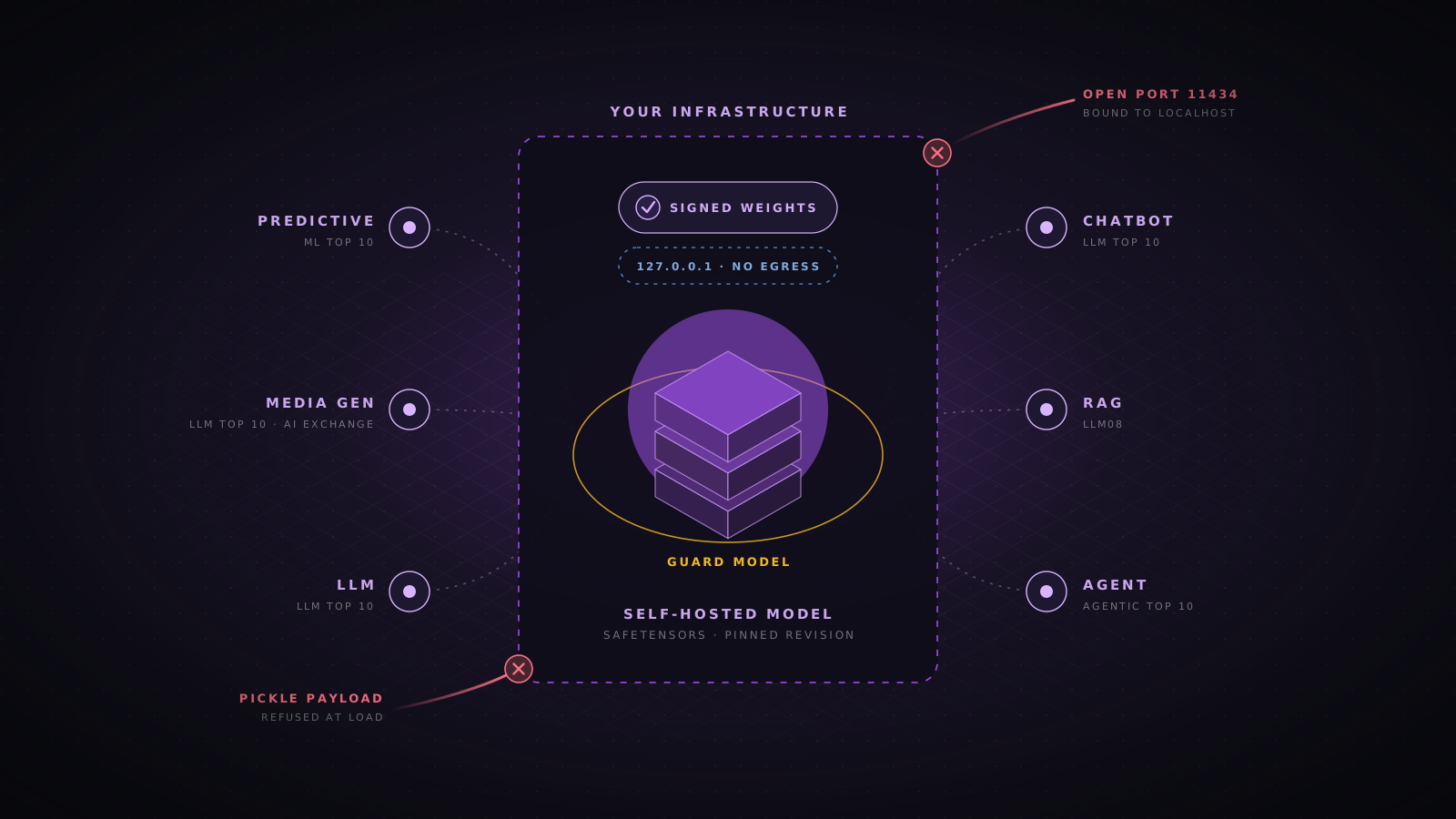
This guide covers models you download or train and then serve on hardware you control, on premises or in your own cloud account. It goes from the parts every self-hosted model shares, such as weights, serving stack and infrastructure, to the risks that depend on what the model is: a predictive model, an image or audio generator, a large language model, a chatbot, a retrieval system or an agent. Each section maps to the OWASP projects that cover it and includes configuration you can adapt.
What changes when the model is yours
With a hosted API, the provider runs the model, patches the serving stack, isolates tenants, tunes refusals and watches for abuse. Self-hosting moves those layers into your threat model. Most of them are ordinary infrastructure security, applied to software that is younger, less hardened and often deployed by teams that are not used to running internet facing services.
| Layer | With a hosted API | When you self-host |
|---|---|---|
| Model weights | Provider trains and stores them | You verify the source, scan the files and protect them from theft |
| Serving software | Provider patches and hardens it | You patch vLLM, Ollama, TGI or Triton and close their default open ports |
| Compute isolation | Provider isolates tenants on its GPUs | You decide who shares a GPU, a node and a cluster |
| Safety behaviour | Provider tunes refusals and runs content filters | You choose the model, keep its safety tuning and add guard models |
| Abuse and cost | Provider rate limits and bills you | You cap tokens and concurrency or lose capacity instead of money |
| Training data | Provider handles its own data | You own poisoning, memorization and deletion for anything you fine-tune on |
The OWASP references to work from
OWASP has several projects on AI security. They overlap, and each one is strongest for a different kind of system. Use the one that matches what you are building as your checklist, and use the AI Exchange when you need the detailed controls behind an item.
| Project | Covers | Use it for |
|---|---|---|
| Top 10 for LLM Applications 2025 | Ten risks for applications built on language models, LLM01 to LLM10 | Chatbots, assistants, RAG and any product that sends text to an LLM |
| Machine Learning Security Top 10 | Ten risks for trained models, ML01 to ML10, still published as a draft | Classifiers, scoring, fraud, vision and other predictive models |
| Top 10 for Agentic Applications 2026 | Ten risks for systems that plan and act with tools, ASI01 to ASI10 | Agents, MCP servers, multi-agent workflows and code execution |
| AI Exchange | A full catalogue of AI threats and controls, aligned with ISO and EU AI Act work | Looking up the concrete control behind any of the Top 10 items |
| LLM AI Cybersecurity and Governance Checklist | Governance, legal, inventory and deployment questions | Approval and review before a model goes to production |
Start from the kind of model you run
A fraud classifier and a coding agent share a GPU and a supply chain, but almost nothing else. Decide which rows below apply to you, because a system often matches several. A support chatbot with retrieval and a ticket tool is a chatbot, a RAG system and an agent at once, and it inherits the risks of all three.
| Type | Examples | Main risks | Primary OWASP list |
|---|---|---|---|
| Predictive model | Fraud scoring, image classification, anomaly detection | Evasion, poisoning, model inversion, membership inference, model theft | ML Security Top 10 |
| Media generator | Diffusion image models, text to speech, voice cloning, video | Harmful or illegal content, impersonation, memorized training images | LLM Top 10 and AI Exchange |
| Language model | Open-weight LLMs served for internal use or behind an API | Weak safety tuning, resource exhaustion, training data disclosure | LLM Top 10 |
| Chatbot | Customer support, internal helpdesk, public assistant | Jailbreaks, system prompt leakage, misinformation, cross-user leaks | LLM Top 10 |
| RAG system | Search and question answering over company documents | Unauthorized retrieval, poisoned documents, embedding inversion | LLM Top 10 (LLM08) |
| Agent | Coding agents, workflow automation, tool-using assistants | Goal hijack, tool misuse, privilege abuse, code execution, memory poisoning | Agentic Top 10 |
Treat downloaded weights as untrusted code
A model file is not just numbers. The PyTorch pickle format, still common in .bin, .pt and .pth files, can run arbitrary Python when it is loaded. Researchers have found many malicious models on public hubs that open a reverse shell on load, and some were built to slip past the scanners those hubs run. OWASP lists this as LLM03 Supply Chain and ML06 AI Supply Chain Attacks.
- Load safetensors only. The format holds tensors and metadata and cannot execute code. Refuse pickle files in production, and convert trusted ones in an isolated job.
- Never set trust_remote_code. That flag runs the Python files shipped in the model repository. If a model needs it, read the code and vendor it into your own repository.
- Pin the exact revision. Download by commit hash, not by branch name, so a later push to the repository cannot change what you deploy.
- Keep weights_only loading on. PyTorch 2.6 made torch.load use weights_only=True by default. Do not turn it off, and upgrade past 2.5.1, which had a bypass tracked as CVE-2025-32434.
- Mirror and scan. Pull models into an internal registry, scan them there with ModelScan or a similar tool, and let production nodes download only from that registry.
# Commit hash from the model page, never "main"
REVISION=3f1c2a9e7b5d4c8f0a6e2b1d9c7f5a3e1b0d8c6a

hf download meta-llama/Llama-3.1-8B-Instruct \
  --revision "$REVISION" \
  --include "*.safetensors" "*.json" "tokenizer.model" \
  --local-dir ./models/llama-3.1-8b-instruct

# Fail the pipeline on any unsafe operator or pickle file
modelscan --path ./models/llama-3.1-8b-instructSign what you approve
Scanning tells you a file looks safe once. Signing lets every later step prove it is the same file. After a model passes review, record a hash of every file, sign that manifest, and have the deploy step verify the signature before the server loads anything. The OpenSSF model signing project packages this pattern for models. Cosign and a checksum manifest give you the same guarantee with tools you may already run.
# Approval job
cd models/llama-3.1-8b-instruct
find . -type f ! -name 'MANIFEST*' -print0 | sort -z | xargs -0 sha256sum > MANIFEST.sha256
cosign sign-blob --yes --bundle MANIFEST.bundle MANIFEST.sha256

# Deploy job, before the inference server starts
cosign verify-blob MANIFEST.sha256 --bundle MANIFEST.bundle \
  --certificate-identity "https://github.com/acme/ml-registry/.github/workflows/approve.yml@refs/heads/main" \
  --certificate-oidc-issuer "https://token.actions.githubusercontent.com"
sha256sum --check --strict MANIFEST.sha256Backdoors that no scanner will find
A clean file format does not mean a clean model. Weights can carry a backdoor that makes the model behave normally until a trigger phrase or image pattern appears, and fine-tuned derivatives of popular models are an easy place to hide one. OWASP covers this as LLM04 Data and Model Poisoning, ML07 Transfer Learning Attack and ML10 Model Poisoning. Prefer models from the original publisher or an organization you trust, read the model card and licence, keep an inventory with the source and hash of every model you run, and evaluate a new model on your own test set before it replaces an old one.
Lock down the inference server
Most model servers were built for researchers on a trusted network. Ollama has no authentication at all, and internet scans keep finding thousands of instances bound to 0.0.0.0 where anyone can run, pull or delete models. A path traversal in Ollama, CVE-2024-37032, allowed remote code execution on exposed hosts. The Ray Jobs API, used to run many training and serving clusters, accepts unauthenticated jobs by design, and the ShadowRay campaign in 2024 used it to take over GPU clusters. NVIDIA Triton and vLLM have both had critical advisories in components that accept network input.
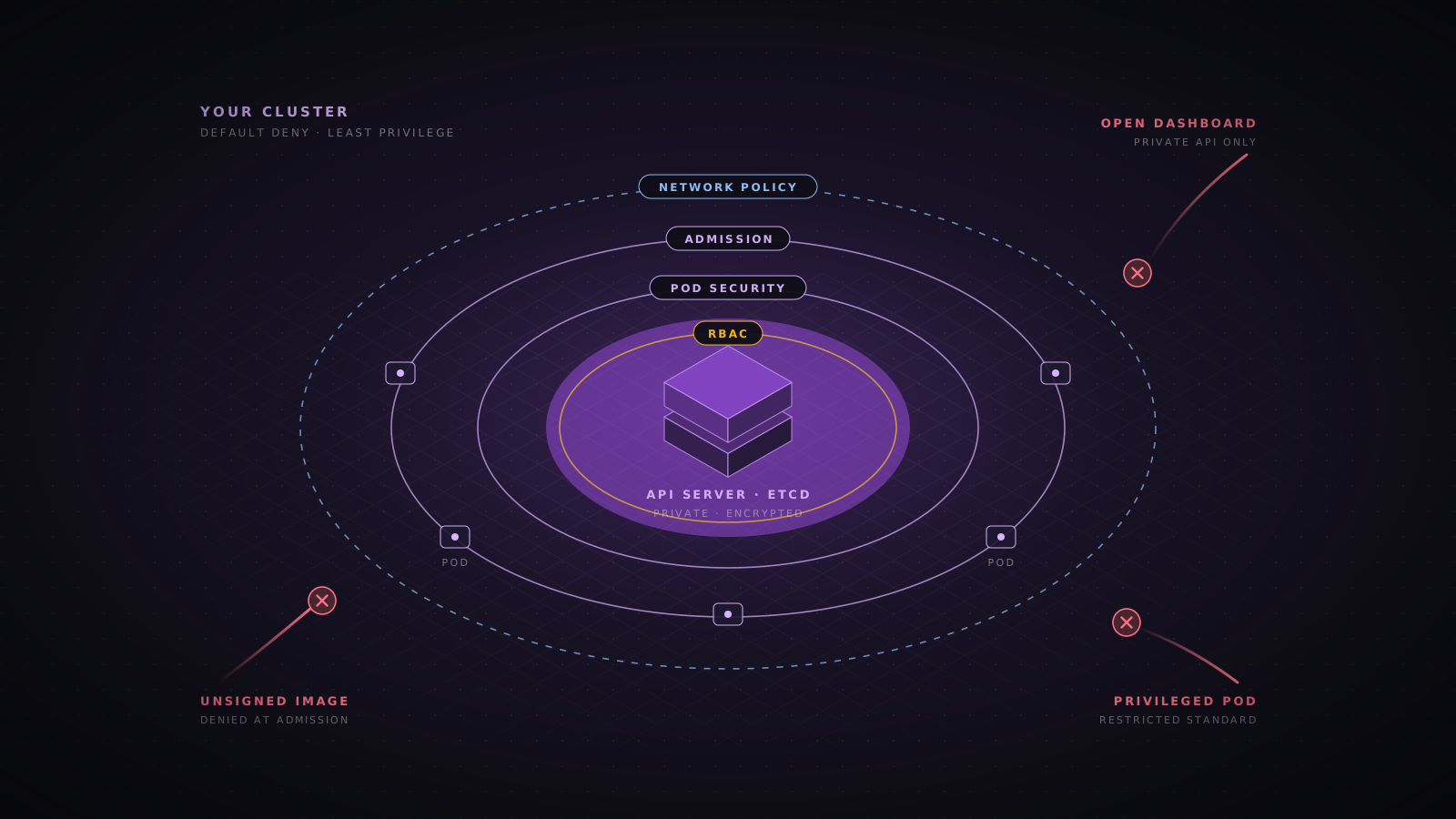
- Bind to localhost or a private interface. The model server should never be reachable from the internet, and in most cases not from the rest of the corporate network either.
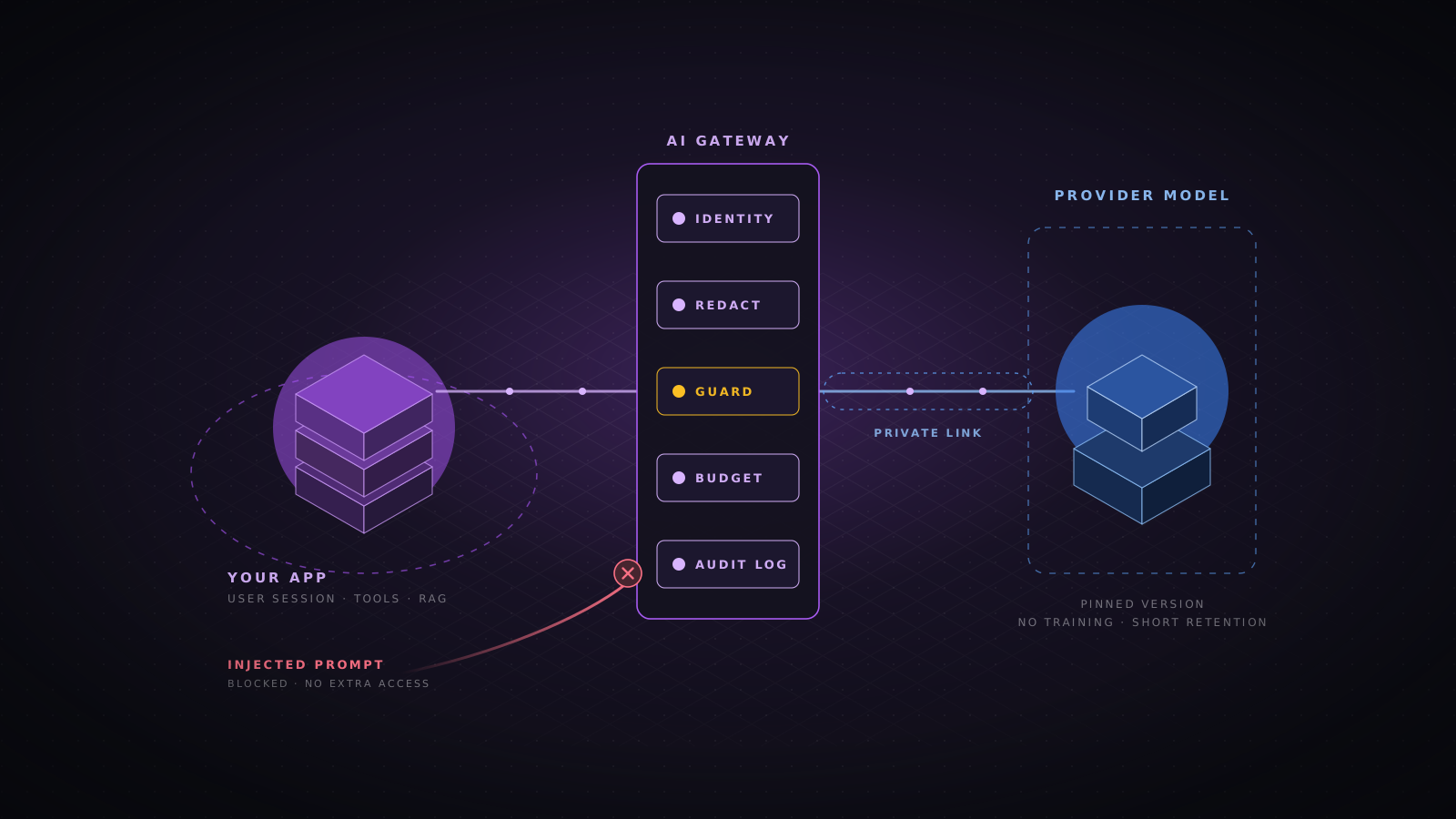
- Put an authenticating proxy in front. Your gateway or reverse proxy checks identity, request size and rate before anything reaches the model.
- Expose only the inference routes. Block model management endpoints such as pull, delete, load and metrics from callers that are not operators.
- Patch on a schedule. Track security advisories for the server, its Python dependencies and the CUDA stack, and rebuild images when they change.
- Run without privilege. Use a non-root user, a read-only root filesystem and a read-only mount for the weights.
vllm serve ./models/llama-3.1-8b-instruct \
  --served-model-name assistant \
  --host 127.0.0.1 --port 8000 \
  --api-key "$VLLM_API_KEY" \
  --max-model-len 8192 \
  --max-num-seqs 32 \
--generation-config vllmlimit_req_zone $binary_remote_addr zone=llm:10m rate=10r/s;
server {
listen 443 ssl;
server_name llm.internal.example.com;
client_max_body_size 256k;
location = /v1/chat/completions {
auth_request /_auth;
limit_req zone=llm burst=20 nodelay;
proxy_read_timeout 120s;
proxy_pass http://127.0.0.1:8000;
}
location = /_auth {
internal;
proxy_pass http://127.0.0.1:9000/verify;
proxy_pass_request_body off;
proxy_set_header Content-Length "";
}
location / { return 404; }
}GPU hosts, isolation and weight theft
Weights you fine-tuned on company data are an asset and a data store at the same time. OWASP lists theft of the model as ML05 Model Theft, and an attacker with a copy can also study it offline to build attacks against your live system. Protect the weights the way you protect a production database, and design the hosts so a compromised inference process cannot reach anything else.
- Isolate the workload. Run inference on a dedicated node pool or hosts, with no other tenants, and no access to training data or the model registry write path.
- Choose GPU sharing on purpose. NVIDIA MIG partitions memory and cache in hardware. Time slicing and MPS do not give the same isolation, so never use them between tenants who should not see each other.
- Remember GPU memory leaks. LeftoverLocals, CVE-2023-4969, showed that some Apple, AMD, Qualcomm and Imagination GPUs let one process read memory left by another, including model outputs.
- Encrypt and restrict the weights. Encrypt the volume or bucket, allow read access only to the serving identity, and alert on bulk reads or copies from anywhere else.
- Deny egress. An inference pod needs to answer requests, not open connections. Block outbound traffic so a compromised server cannot send weights or prompts out.
- Consider confidential computing. For high value models on shared cloud hardware, GPUs such as the H100 support a confidential computing mode that encrypts data in use.
apiVersion: networking.k8s.io/v1
kind: NetworkPolicy
metadata:
  name: llm-inference-isolation
  namespace: llm-serving
spec:
  podSelector:
    matchLabels:
      app: vllm
  policyTypes: [Ingress, Egress]
  ingress:
    - from:
        - namespaceSelector:
            matchLabels:
              kubernetes.io/metadata.name: ai-gateway
      ports:
        - protocol: TCP
          port: 8000
egress: []Predictive and classic machine learning models
Classifiers and scoring models do not chat, but they make decisions that attackers care about: approve or block a payment, flag or pass a login, accept or reject a document. The OWASP Machine Learning Security Top 10 is the checklist here. Its attacks fall into three groups: fooling the model at inference time, corrupting it during training, and learning private things from its answers.
| Risk | What it looks like | Main controls |
|---|---|---|
| ML01 Input Manipulation | Small changes to an input flip the result, such as a tweaked transaction that passes fraud checks | Adversarial training, input validation, ensembles, rules that do not depend on the model alone |
| ML02 Data Poisoning | Crafted records in training data shift the model or plant a trigger | Data provenance, access control on datasets, outlier checks before each training run |
| ML03 Model Inversion | Repeated queries reconstruct features of training records, such as faces | Return labels instead of raw scores, rate limits, differential privacy |
| ML04 Membership Inference | An attacker learns whether a person was in the training set | Regularization, differential privacy, coarse confidence values |
| ML05 Model Theft | Weights are copied, or the model is cloned from its own answers | Weight protection, query budgets, monitoring for systematic probing |
| ML06 AI Supply Chain Attacks | Compromised libraries, pretrained models or datasets | Pinned and scanned dependencies, signed models, internal mirrors |
| ML07 Transfer Learning Attack | A backdoor in a base model survives fine-tuning | Trusted base models, evaluation on your own test and trigger sets |
| ML08 Model Skewing | Attackers feed the feedback loop so retraining drifts their way | Validate feedback data, cap the weight of any one source, review drift |
| ML09 Output Integrity Attack | Results are changed between the model and the system that uses them | Authenticated and signed transport between services, integrity checks |
| ML10 Model Poisoning | Weights are edited directly to change behaviour | Write access limited to the training pipeline, signed artifacts, hash checks at load |
Many of these attacks need high-precision scores and lots of queries. The cheapest defence is to return only what the caller needs: a decision, or a confidence rounded to a coarse value, never the full probability vector. Combine that with per-client query budgets and an alert for clients that send many near-identical inputs, which is what extraction and inversion traffic looks like.
from pydantic import BaseModel

DECISION_THRESHOLD = 0.8
SCORE_STEP = 0.1

class FraudVerdict(BaseModel):
    decision: str
    score: float

def verdict(probabilities: list[float]) -> FraudVerdict:
    fraud = probabilities[1]
    coarse = round(round(fraud / SCORE_STEP) * SCORE_STEP, 1)
    return FraudVerdict(decision="review" if fraud >= DECISION_THRESHOLD else "allow", score=coarse)
When the model is trained on personal data, differential privacy gives a measurable limit on what any one record can contribute, which directly weakens membership inference and inversion. It costs some accuracy, so test it on your own data. Libraries such as Opacus for PyTorch add it to an existing training loop.
from opacus import PrivacyEngine

privacy_engine = PrivacyEngine()
model, optimizer, train_loader = privacy_engine.make_private_with_epsilon(
    module=model,
    optimizer=optimizer,
    data_loader=train_loader,
    epochs=EPOCHS,
    target_epsilon=8.0,
    target_delta=1e-5,
    max_grad_norm=1.0,
)Image, audio and video generators
For generative media, the main risk is what the model produces, not what it leaks. A self-hosted image or voice model with its safety parts removed can make non-consensual intimate images, child sexual abuse material, fraud-ready voice clones and fake evidence. If it is your server, it is your output, legally and in the press. Hosted providers run prompt filters, output classifiers and abuse teams. You need your own version of each.
- Keep the safety checker. Diffusion pipelines ship with a safety checker that many guides tell you to disable. Leave it on, and add a dedicated output classifier for the categories that matter to you.
- Filter prompts and outputs. Check the prompt before generation and the image or audio after it. Prompt filtering alone is easy to bypass with misspellings and other languages.
- Block real people by default. Refuse requests that name real individuals or upload a face or voice sample, unless the feature has a consent process behind it.
- Control add-ons. LoRA adapters, embeddings and custom checkpoints change model behaviour and can be pickled code. Apply the same supply chain rules as for base weights.
- Mark what you generate. Attach C2PA content credentials, and add an invisible watermark where your model supports one, so your output can be identified later.
- Watch for memorization. Diffusion models can reproduce training images almost exactly. If you fine-tune on private or licensed images, test for near-duplicates before release.
Language models you serve yourself
An open-weight LLM is only as safe as its tuning, and that tuning is easy to lose. Research published in 2023 by Qi and colleagues showed that fine-tuning an aligned model on a small set of examples, even harmless ones, can remove much of its refusal behaviour. Abliterated and uncensored variants on public hubs have their refusals removed on purpose. If you fine-tune, you have to measure safety again afterwards, because it will have changed.
- Pick the instruct model from the original publisher. It has the most safety work behind it. Avoid community merges and uncensored variants for anything users can reach.
- Add a guard model. Run a classifier such as Llama Guard, ShieldGemma or Granite Guardian on the input and the output. It is a separate model, so a jailbreak against the main model does not disable it.
- Re-run evaluations after every fine-tune. Use the same refusal and jailbreak tests you ran on the base model, and do not ship if the results get worse.
- Protect the training set. A model fine-tuned on tickets, emails or code can repeat them word for word. That is LLM02 Sensitive Information Disclosure. Remove secrets and personal data before training, and test for verbatim recall.
- Bound every request. LLM10 Unbounded Consumption on your own hardware means a few long prompts can take all your GPU memory. Cap context length, output tokens, concurrent sequences and request time.
from openai import OpenAI

guard = OpenAI(base_url="http://127.0.0.1:8001/v1", api_key=GUARD_API_KEY)

def is_safe(conversation: list[dict[str, str]]) -> bool:
    result = guard.chat.completions.create(
        model="llama-guard",
        messages=conversation,
        max_tokens=20,
        temperature=0,
    )
    verdict = (result.choices[0].message.content or "").strip().lower()
    return verdict.startswith("safe")

# Check the user turn before generation, then the full exchange after it
if not is_safe([{"role": "user", "content": user_text}]):
raise RefusedRequest("input")Chatbots and assistants
A chatbot puts a language model in front of people who will try to make it misbehave. The risks are the core of the OWASP LLM Top 10, and they do not get smaller because the model runs on your hardware. Self-hosting does give you more control here, since you can change the model, the guard and the logging without waiting on a vendor.
- LLM01 Prompt Injection. Users will try to override your instructions. Keep instructions in the system role, screen input with a guard model, and never let the conversation decide what data or actions the user is allowed.
- LLM07 System Prompt Leakage. Assume the system prompt will be printed back to a user. It can describe tone and scope, but it must not hold credentials, internal hostnames or access rules.
- LLM05 Improper Output Handling. Render replies as text or sanitized Markdown, and block remote images and unknown links, which can be used to send data out of the page.
- LLM09 Misinformation. The bot will state wrong things with confidence. In 2024 a Canadian tribunal held Air Canada liable for refund terms its chatbot invented, in Moffatt v. Air Canada. Ground answers in your own content, show sources, and route policy, price and legal questions to fixed answers or a human.
- Conversation isolation. Store history per user and per session, keyed by the authenticated identity, and never reuse one conversation as context for another user. A shared prompt cache must not leak across tenants either.
- Abuse and retention. Rate limit per user, record jailbreak attempts, and keep transcripts only as long as you need them, in a store with its own access control.
Retrieval augmented generation
Retrieval gives the model your documents, which makes it useful and makes it a path to data the user should not see. OWASP covers this as LLM08 Vector and Embedding Weaknesses. The rule is the same as for any data access: the retrieval query enforces the permissions of the user, with values that come from the session and never from the model.
from qdrant_client import QdrantClient, models

client = QdrantClient(url="http://qdrant.internal:6333", api_key=QDRANT_API_KEY)

def search(session: Session, query_vector: list[float]) -> list[models.ScoredPoint]:
    access = models.Filter(must=[
        models.FieldCondition(key="tenant_id", match=models.MatchValue(value=session.tenant_id)),
        models.FieldCondition(key="groups", match=models.MatchAny(any=session.group_ids)),
    ])
    return client.query_points(
        collection_name="documents",
        query=query_vector,
        query_filter=access,
        limit=8,
).points- Treat documents as untrusted input. Anyone who can write to an indexed source, such as a wiki page, a ticket or a shared drive, can plant instructions the model will read. Mark retrieved text as data in the prompt, and do not give a RAG chatbot tools that write or send.
- Control what gets indexed. Index only approved sources, record where each chunk came from, and strip hidden text, comments and metadata during ingestion.
- Protect the vector store. Embeddings can be partly inverted back to text. Give the store authentication, encryption and the same classification as the source documents.
- Keep permissions in sync. When a document is deleted or its sharing changes, update or remove its chunks, or retrieval becomes a way to read revoked content.
Agents and tool use
An agent turns model output into actions: it reads files, calls APIs, runs code and talks to other agents. A successful injection then stops being a bad answer and becomes a real change in a real system. The OWASP Top 10 for Agentic Applications 2026, published by the OWASP GenAI Security Project in December 2025, is written for this case. Self-hosted agents are often given more access than hosted ones, because they run inside the network, so these controls matter even more.
| Risk | Main controls |
|---|---|
| ASI01 Agent Goal Hijack | Treat all retrieved and tool content as data, keep goals in fixed configuration, confirm high impact actions with a human |
| ASI02 Tool Misuse and Exploitation | Minimal tool set per task, strict argument schemas, allowlisted destinations, rate limits per tool |
| ASI03 Identity and Privilege Abuse | Tools act with the end user’s permissions, short-lived scoped credentials, no shared service accounts |
| ASI04 Agentic Supply Chain Vulnerabilities | Review and pin MCP servers, plugins and prompt templates, and run them in their own sandbox |
| ASI05 Unexpected Code Execution | Run generated code in an isolated sandbox with no network and no secrets, never with eval on the host |
| ASI06 Memory and Context Poisoning | Separate memory per user, validate what is written to long-term memory, allow review and deletion |
| ASI07 Insecure Inter-Agent Communication | Authenticate and authorize every agent-to-agent call, sign messages, never trust another agent’s claims about the user |
| ASI08 Cascading Failures | Limits on steps, tokens and spend, circuit breakers between agents, a kill switch per workflow |
| ASI09 Human-Agent Trust Exploitation | Show the exact action and its effect before approval, and do not let the agent write the confirmation text |
| ASI10 Rogue Agents | Inventory every agent and its permissions, log all actions, detect behaviour outside the declared scope |
Code execution deserves its own boundary. If an agent can run code, assume it will one day run code an attacker wrote. The sandbox should have no network, no credentials, a read-only view of its inputs, and limits on time, memory and processes. A user-space kernel such as gVisor, or a microVM such as Firecracker, gives a much stronger wall than a plain container.
docker run --rm \
  --runtime=runsc \
  --network none \
  --read-only --tmpfs /tmp:rw,size=64m \
  --cap-drop ALL --security-opt no-new-privileges \
  --pids-limit 128 --memory 512m --cpus 1 \
  --user 65534:65534 \
  -v "$JOB_DIR:/work:ro" \
  python:3.12-slim timeout 30 python /work/main.py
MCP servers and tool plugins are code that runs with whatever access you give them. Install them from sources you have reviewed, pin their versions, give each its own credentials scoped to one job, and run local servers in the same kind of sandbox. A tool description is also text the model reads, so a malicious server can inject instructions through its own metadata.
Test the model like an attacker would
You cannot rely on a provider’s red team, so run your own. Keep a security test suite next to your quality evaluations and run it on every change to the weights, the system prompt, the guard model, the tools or the serving configuration. Test the whole system as users reach it, not only the bare model, because most failures come from how the parts fit together.
- garak probes a language model for jailbreaks, prompt injection, data leakage and toxic output.
- PyRIT from Microsoft automates multi-turn attacks against a whole application.
- promptfoo generates red team cases from your own configuration and runs them in CI.
- The Adversarial Robustness Toolbox tests predictive models for evasion, poisoning, inversion and extraction.
export OPENAI_API_KEY="$VLLM_API_KEY"
python -m garak \
  --model_type openai.OpenAICompatible \
  --model_name assistant \
  --generator_option_file garak-local.json \
  --probes promptinject,dan,leakreplay,encoding \
--report_prefix nightlyMonitoring and incident response
Log every request at the gateway with the user, the model name and revision, token counts, guard verdicts, tool calls and latency. Keep full prompts and outputs only in a restricted store with short retention. Send these records, together with host, Kubernetes and registry audit logs, to your SIEM.
- Abuse. Jumps in tokens per user, many guard blocks from one account, and long sequences of near-identical queries.
- Infrastructure. New processes or outbound connections on inference hosts, access to model management routes, and changes to the serving image.
- Weights. Reads of the model bucket by any identity other than the serving role, and a model hash at load time that does not match the signed manifest.
- Agents. Tool calls denied by authorization checks, sandbox violations, and actions outside the declared scope.
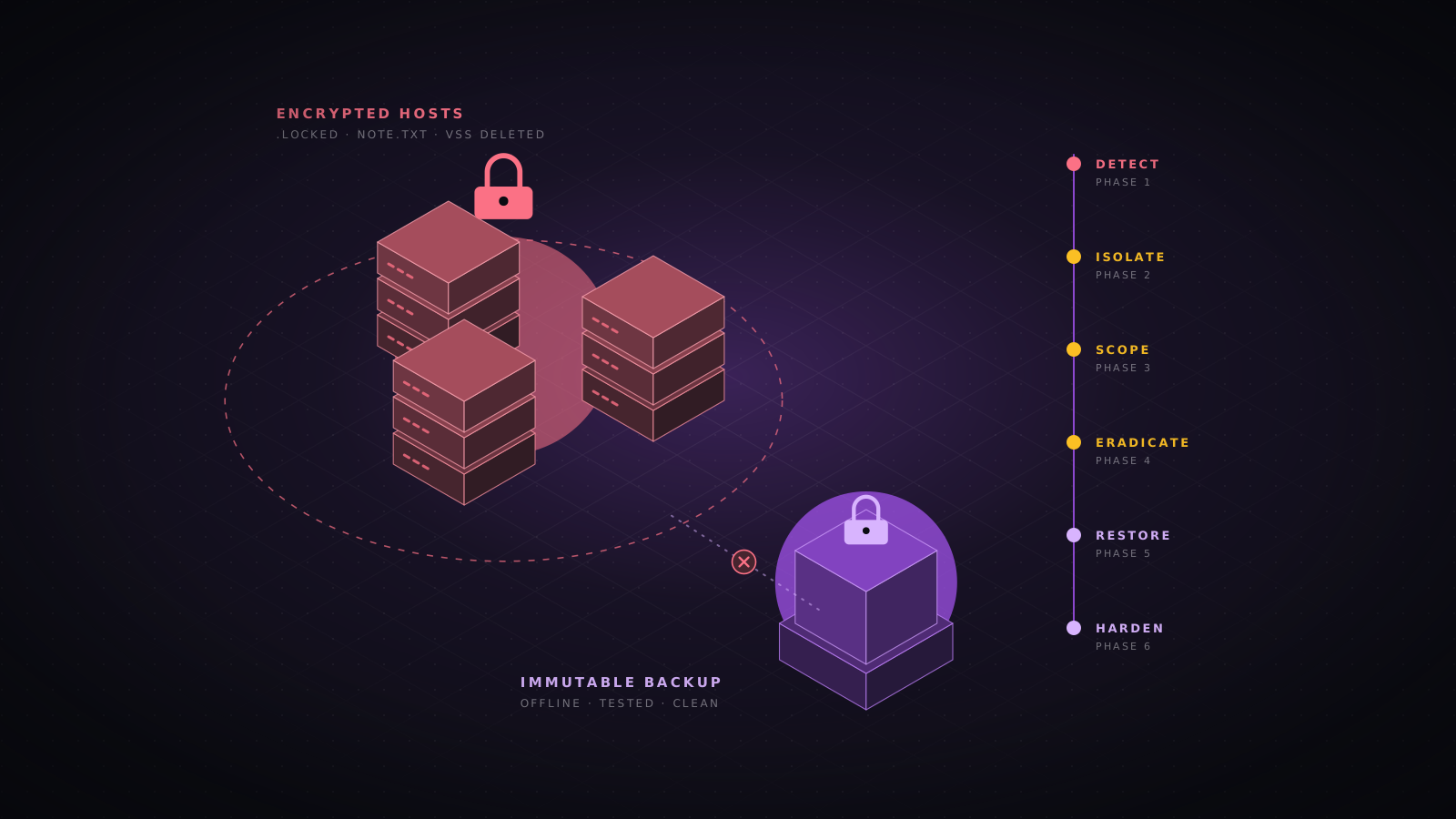
Write the runbooks before you need them. For a jailbreak or harmful output, the first step is a guard rule or a feature switch, not a retrain. For a poisoned or backdoored model, roll back to the last signed version and find how the bad one got in. For stolen weights, assume the attacker can now test attacks offline, rotate any secrets the model or its pipeline could reach, and review what training data the model may reveal.
A pre-production checklist
- Inventory. Every model is recorded with its source, revision, hash, licence, owner and the data it was tuned on.
- Supply chain. Weights are safetensors from a pinned revision, scanned, signed, and verified at deploy.
- Server. The inference server binds to a private interface, sits behind an authenticating proxy, and runs as non-root.
- Isolation. Inference runs on dedicated nodes, GPU sharing is a deliberate choice, and egress is denied.
- Limits. Context length, output tokens, concurrency, request time and per-user budgets are all set.
- Safety. A guard model screens input and output, and safety evaluations were re-run after any fine-tune.
- Data. Retrieval filters by the user’s permissions, and training data was cleaned of secrets and personal data.
- Agents. Tools run as the user, code runs in a sandbox with no network, and side effects need confirmation.
- Testing. The red team suite runs in CI on every model, prompt, tool or configuration change.
- Response. Logs reach the SIEM, and rollback, kill switch and weight theft runbooks have been tested once.
Conclusion
Self-hosting keeps your data in your network, but it does not make the model trustworthy. You take on a supply chain of large binary files, a young serving stack with weak defaults, GPU infrastructure, and the safety work a provider would have done. The OWASP lists give you a map for each kind of system: the ML Top 10 for predictive models, the LLM Top 10 for language models, chatbots and RAG, and the Agentic Top 10 once the model can act. Verify what you load, keep the server private, limit what the model can reach, and test it the way an attacker would.
Sources
- OWASP Gen AI Security Project, Top 10 for LLM Applications 2025.
- OWASP Gen AI Security Project, Top 10 for Agentic Applications 2026 (December 2025).
- OWASP Machine Learning Security Top 10 (draft).
- OWASP AI Exchange, owaspai.org.
- OWASP LLM AI Cybersecurity and Governance Checklist.
- Qi et al., “Fine-tuning Aligned Language Models Compromises Safety, Even When Users Do Not Intend To!” (2023).
- Oligo Security, ShadowRay research on CVE-2023-48022 (March 2024).
- Wiz Research, Probllama, CVE-2024-37032 in Ollama (June 2024).
- Trail of Bits, LeftoverLocals, CVE-2023-4969 (January 2024).
- Moffatt v. Air Canada, 2024 BCCRT 149.
- safetensors documentation, Hugging Face.
- ModelScan, Protect AI.
- Sigstore cosign signing documentation.
- OpenSSF model signing (model-transparency).
- vLLM documentation.
- Llama Guard 3, Meta PurpleLlama.
- Qdrant documentation.
- gVisor documentation.
- Opacus, differential privacy for PyTorch.
- NVIDIA garak, LLM vulnerability scanner.
- Microsoft PyRIT, Python Risk Identification Tool.
- C2PA technical specification 2.1.
- AI security
- Self-hosted AI
- OWASP LLM Top 10
- OWASP ML Top 10
- Agentic AI
- Model supply chain
- vLLM
- Ollama
- RAG
- Chatbots